

Overview: Securing Google Cloud workloads means ensuring only the right people and systems can access your data. This guide helps you understand how to manage permissions, protect your network, and keep your cloud environment safe. You will learn the core concepts needed to guard your digital infrastructure against common threats, which is a vital skill for every modern cloud engineer.
01. Introduction
When you start your career in the cloud, it is easy to focus only on building features. However, security is not an afterthought or a separate task for a different team. It is the invisible wall that keeps your business running. In my experience mentoring students, I have seen many juniors focus heavily on building architectures without considering who can delete them. This oversight is exactly why understanding Google Cloud security is a fundamental part of our DevOps course.
The goal here is not just to follow a checklist but to develop a security mindset. You need to think about how data moves, who controls the keys, and what happens when an account gets compromised. Whether you are learning through a full stack MERN course or diving deep into infrastructure, the principles remain the same. This article breaks down how to manage your Google Cloud environment effectively, keeping it safe without slowing down your development velocity.
Security is often misunderstood as a bottleneck. New engineers frequently worry that adding security layers will make their daily deployments slower or more complex. In reality, a well-secured environment provides the guardrails that allow you to move faster with confidence. When you know that your IAM roles are restricted and your VPC is locked down, you spend less time worrying about accidental data leaks and more time iterating on your code. This is the difference between writing software that happens to run and building platforms that are resilient to the realities of the modern internet.
02. The Identity Security Foundation
Identity is the new perimeter in cloud security. If you control who has access to a service account, you control the service itself. Beginners often grant too many permissions because they want to avoid errors, but this leads to massive security holes. The principle of least privilege is your best friend here. Always assign the minimum amount of access necessary for a person or a machine to perform its specific role.
Think about a typical scenario. You are setting up a backend service to read user photos from a Cloud Storage bucket. A common mistake is to attach an 'Editor' role to that service account. While it solves the immediate problem, it also grants that service the power to delete the entire bucket or change its configuration. That is far too much power. Instead, you should create a custom role that explicitly grants only 'storage.objects.get' permissions. This requires more planning upfront, but it pays off in the long run by significantly reducing your blast radius if that service account is ever compromised.
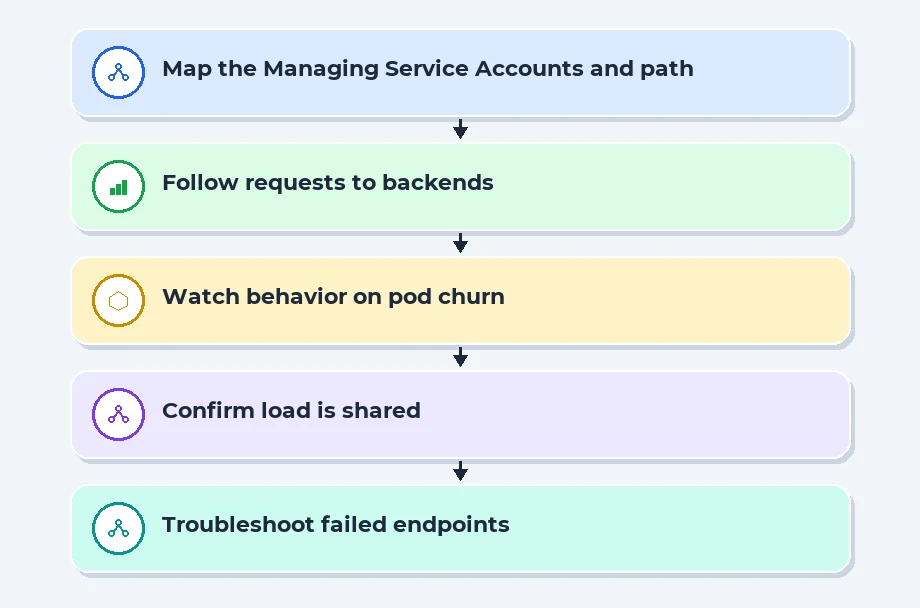
Managing Service Accounts and Roles
Service accounts are special accounts that applications use to make API requests. They are not meant for human login. Many developers make the mistake of using a single service account for their entire application. Instead, create a unique service account for every single microservice. If one microservice is compromised, the attacker is limited to the permissions of that one account, not your entire project.
Use custom roles rather than basic owner, editor, or viewer roles. The basic roles are far too broad and dangerous for production workloads. A custom role allows you to pick exactly which API methods a user or service can call. If your service only needs to read from a specific bucket, it should have a role that allows only that specific action. This granular control is what separates a professional cloud setup from a hobbyist project.
Effective IAM Policy Enforcement
IAM policies define the relationship between users, roles, and resources. I always recommend using conditions to restrict access even further. For example, you can set a policy that only allows access to a bucket if the request comes from a specific VPC network or during specific business hours. This adds a layer of intelligence to your security strategy that passwords alone cannot provide.
Audit your policies regularly. Over time, projects grow and permissions accumulate, creating what we call permission bloat. Use the Policy Analyzer to identify which accounts have unused permissions. Cleaning these up is a standard industry workflow that keeps your environment tidy and secure. If you are preparing for placement, demonstrating this habit during an interview shows you care about the real-world impact of your code.
Placement Clients


MSME Companies in UK & US
03. Network and Infrastructure Defense
Your network is the highway for your data. If that highway is unprotected, your data is at risk. Cloud infrastructure security is not just about locking doors; it is about knowing which doors should even exist. Start by ensuring that your Virtual Private Cloud (VPC) is configured to deny all traffic by default, then explicitly allow only what is necessary. Relying on default configurations is a classic trap because defaults are often designed for convenience, not for hardening.
I have seen teams leave their database instances wide open to the public internet because they forgot to check the firewall rules. It is a simple human error, but it can lead to a catastrophic breach. Always assume that if a resource has a public IP, someone will eventually try to scan it. By moving your internal services into private subnets, you create a natural buffer that makes your infrastructure significantly harder to target from the outside.
Implementing VPC Service Controls
VPC Service Controls act like a secure fence around your cloud resources. They prevent data from being exfiltrated to unauthorized projects, even if an attacker has valid credentials. This is a critical defense mechanism for sensitive data. Many students overlook this during their software testing training, but it is an essential part of the production environment.
Think of it as a logical perimeter. Even if a user has permission to copy a database to a public bucket, the service control will stop it if the bucket is not within the authorized perimeter. This provides a safety net that protects you from human error and malicious intent alike. It is one of the most effective ways to manage risk in a large-scale enterprise environment.
| Security Control | Purpose | Scope |
|---|---|---|
| Firewall Rules | Filter traffic by IP | Instance level |
| Cloud Armor | Stop web attacks | Global application |
| VPC Service Controls | Prevent data theft | Project perimeter |
| Identity-Aware Proxy | Secure access | User context |
Using Private Google Access
Never expose your internal instances to the public internet unless they absolutely need to be. Private Google Access allows your instances to reach Google APIs without needing a public IP address. This effectively hides your backend resources from the public. It is a simple configuration change that immediately reduces the attack surface of your entire workload.
When you keep your instances in private subnets, you reduce the risk of unauthorized scanning or brute-force attempts. If your workload needs to communicate with the outside world, use a NAT gateway or a managed load balancer. These tools act as a buffer, ensuring that your core infrastructure remains shielded from the unpredictable nature of the public internet. It is a classic 'least-exposure' pattern that every cloud architect should master early on.
04. Operational Security Workflows
Security is a continuous cycle, not a one-time setup. Once you have built your architecture, you must monitor it. Cloud Logging and Cloud Monitoring are your eyes and ears. If you do not have logs, you do not know if you have been breached. Professionals rely on these tools to track every single action that happens inside their cloud environment. Without this visibility, you are effectively flying blind.
Consider what happens when you notice a spike in traffic or an unexpected cost. Without logging, you have no way to trace the origin of that activity. Are you being attacked, or is a service simply misconfigured? Logging gives you the data to answer these questions. I encourage every student to spend time looking at their logs even during development. It helps you understand the 'normal' behavior of your applications so that you can spot the 'abnormal' when it happens.
Leveraging Automated Threat Detection
Security Command Center is your primary dashboard for detecting threats in Google Cloud. It provides a centralized view of your security health, flagging issues like public buckets, vulnerable firewall rules, or suspicious login activity. Instead of checking manually, you can set up alerts that notify your team immediately when a high-severity issue is detected.
Automating these checks is a hallmark of industry readiness. If you are learning through a structured course, pay attention to how automation handles security. You should be writing scripts or using infrastructure-as-code tools to define your security policies. This ensures that every time you deploy a workload, it starts with the correct security settings already applied, removing the chance for manual error.
Continuous Security Auditing
Auditing should happen automatically. Use tools to scan your configuration files before they are even applied. If a developer submits a pull request with an insecure firewall rule, your pipeline should catch it. This is why we emphasize project-based implementation in our classroom learning, as it forces you to face these real-world challenges early in your career. It teaches you to build security into the deployment pipeline rather than treating it as a final verification step.
Keep a clear record of who changed what and when. In a professional setting, being able to trace an infrastructure change back to a specific commit or ticket is crucial. It helps in debugging, but more importantly, it helps in maintaining a secure state. If you can explain these workflows during an interview, you demonstrate a level of maturity that recruiters look for in candidates. You show that you understand that security is a team effort involving code, process, and constant vigilance.
05. Securing Data Flows with VPC Service Controls
When you start scaling your Google Cloud workloads, the default security perimeter isn't always enough to stop data exfiltration. Think of your VPC as a house with a locked front door. Even if you have strong locks, an authorized visitor-or someone who stole a key-could walk out the back door with your furniture without triggering an alarm. VPC Service Controls act like a high-security fence around your services, preventing data from being copied to unauthorized projects or external buckets, even if the user has the right IAM permissions. This is a critical layer for anyone handling sensitive customer data or proprietary logs.
You configure these service perimeters to define which services can communicate with each other. By wrapping your BigQuery datasets or Cloud Storage buckets in a perimeter, you essentially freeze them in place. If an engineer tries to run a query from an unapproved project, the request is denied immediately. It takes the guesswork out of network security and forces a centralized, policy-driven approach that doesn't rely solely on human vigilance. I have seen teams prevent catastrophic data leaks simply by enabling this service, as it creates an undeniable boundary that no amount of credential phishing can bypass.
Implementing Perimeter Bridges for Multi-Project Environments
Most enterprises don't run everything in one project. As you move toward a multi-project architecture, you will inevitably hit a wall where services in Project A need to talk to services in Project B. This is where perimeter bridges become your best friend. A bridge allows you to extend your security perimeter across multiple projects, essentially creating a private, secure lane for traffic. It is much cleaner than trying to manage individual firewall rules or proxy servers for every single data transfer request.
Setting this up requires a bit of planning, though. You must map out your service dependencies clearly before you wrap them, or you will accidentally break your production pipelines. I recommend starting with 'dry run' mode. Google Cloud lets you deploy these policies in a logging-only state, which tracks violations without actually blocking traffic. Spend a week reviewing those logs to ensure you have captured all your legitimate service accounts. Once your logs are clean, you can flip the switch to enforce mode with total confidence that your workloads are locked down tight.
Recent Job Descriptions

06. References
Google Cloud Security Documentation: Explore the official standards for securing your environment cloud.google.com/security.
NIST Cybersecurity Framework: Learn the industry standard for managing and reducing cybersecurity risk nist.gov/cyberframework.
OWASP Top Ten: Understand the most critical web application security risks to better protect your cloud workloads owasp.org.
Cloud Security Alliance: Gain insights into cloud-specific research and security best practices cloudsecurityalliance.org.
07. Conclusion
Securing Google Cloud workloads is about balance. You want to make your systems safe without making them impossible to work with. By focusing on identity, controlling your network, and building automation into your daily routine, you create a system that is both functional and resilient. These are the habits that turn a junior engineer into a professional who understands the gravity of cloud safety.
Navigate to Address
Scoop Labs
59, 2nd Floor, VLM Towers, 10th Cross Road, 2nd Stage, Padmanabha Nagar, Banashankari, Bengaluru, Karnataka 560070
Get Direction: Banashankari
Submit a Request
Recent Posts


