

Overview: EC2 Instance Types are the building blocks of AWS cloud compute. This guide explains how to choose the right one for your workload with practical steps and real world examples you can apply in Bangalore teams. You will learn how to read family specs, size for CPU and memory, and balance cost with performance. EC2 Instance Types are explained in plain language so you can act with confidence.
01. Introduction
In practice, the way you choose an EC2 instance type shapes every other decision in a cloud project. If you pick the wrong family or size, you pay more for idle capacity or you slow down critical services during peak hours. The big idea here is simple: right sizing means matching the workload profile to the right combination of CPU, memory, and network capacity. Then you can scale without surprises as demand shifts.
This article walks through the decision paths you will encounter in real work. It draws on the kind of project work Indian software teams handle in places like Banashankari, Bangalore. You will see concrete examples, tradeoffs, and a clear framework you can apply from day one. Along the way we'll tie ideas to practical learning paths that a modern software career demands, including project based implementation, classroom learning, and placement preparation. If you are exploring these topics in a structured program, this sort of guidance aligns with how instructors at Scoop Labs help learners build industry readiness through hands on practice.
We will keep the discussion grounded in what you would actually do on a job. You will see how the choice of EC2 instance types links to development pipelines, test environments, and production workloads. The goal is to give you a reliable decision framework rather than a long list of numbers to memorize.
02. Understanding the EC2 Landscape: Families, Generations, and Specializations
EC2 presents a range of families that bundle different capacities for CPU, memory, and I/O. Each family is optimized for a certain pattern of work. For a junior engineer, the key is to map your workload to a family that minimizes waste while delivering predictable performance. You start by identifying the dominant resource need: compute, memory, or networking and storage throughput.
EC2 families are not just about velocity. They also reflect how AWS has evolved. The newer generations typically offer better price for performance, more memory per core, and improved networking capabilities. When a generation is newer, it often helps you meet SLAs with less hardware overhead. In many Indian teams pricing discipline and efficient hardware usage are essential for staying competitive, especially in fast moving startups in the Bangalore ecosystem.
Specialized variants exist for high IOPS workloads, GPU based tasks, and memory intense applications. For example a compute optimized family can be a good fit for batch processing or scientific computing tasks, while a memory optimized family helps with large in memory data processing and high concurrency. When you combine these with generator level changes in the instance generation, you get a spectrum of options rather than a single best choice. The practical takeaway is to know which family aligns with your workload's primary demand and then test with a small, controlled experiment before you scale up.
In training contexts we emphasize that making the correct family choice is part art and part science. It starts with a workload profile and ends with empirical validation. You should always measure performance against a baseline and compare cost at scale. This approach mirrors how a typical IT training path lays out project based exercises and lab work that prepare you for real interview room scenarios and production deployments. It also aligns with the way workplaces structure mentorship and hands on learning to build industry readiness.
In Banashankari, Bangalore, many teams run multi project stacks across different EC2 families to balance cost and performance. Understanding families, generations, and specialized variants is the foundation you build on.
Placement Clients


MSME Companies in UK & US
03. Sizing for Workloads: CPU, Memory, and Networking Trade-offs
The next decision layer is sizing. Each workload has a resource signature. Some tasks demand bursts of CPU; others require a large memory footprint or strong network throughput. The objective is to prevent both under provisioning and over provisioning. In practice you start with a baseline that matches the most critical resource metric and then adjust as you observe real world usage.
CPU heavy workloads, such as real time analytics or high concurrency web services, benefit from families that provide a higher number of vCPUs per instance. These allow parallel processing and reduce waiting time for requests. Memory heavy workloads include in memory caches, large databases, and in memory data structures. Here a bigger memory to core ratio can significantly reduce swap activity and latency. Networking considerations come into play for services with heavy data transfer, such as media processing pipelines or large distributed caches. You often pair memory or CPU optimizations with enhanced networking features to remove I/O bottlenecks.
When you size an instance, think about the full cost picture. A larger instance might reduce the need for a larger fleet, but it also increases hourly cost. The trade off is often between fewer, bigger instances and more smaller ones managed by an autoscaling policy. In practice teams frequently run experiments with a couple of sizes to understand how performance scales under load and how cost scales with capacity. This kind of disciplined experiment is exactly what you would expect to see in a real world project-planning, execution, and review with data to guide the next step.
In Mumbai and Bangalore based teams I've mentored, we often begin with a baseline that mirrors the project's expected peak traffic. Then we run a controlled load test and compare observed CPU ready times, memory pressure, and network throughput. The results guide an iterative refinement that ends in a stable, cost effective configuration. The emphasis is on practical metrics and a clear decision record rather than theoretical numbers alone.
For learners, a simple rule of thumb helps. Start with the workload's most critical resource and pick a baseline instance that provides enough headroom for typical bursts. If you see constant CPU throttling, move to a family with more vCPU per dollar. If memory pressure is evident during peak loads, choose a larger memory to core ratio. If network throughput becomes a bottleneck, ensure the instance supports higher bandwidth and consider placement strategies that optimize latency to data sources. The idea is to build a test driven sizing habit that you can repeat on new projects.
04. Practical Decision Framework: When to Pick T, M, C, R, or P series
The decision framework centers on matching the workload pattern to a family and then selecting a size within that family. The common families you will encounter include T and M for general purpose, C for compute optimized, R for memory optimized, and P or G for GPU workloads. Each family has its own practical sweet spots and its own caveats. The goal is to keep the workflow tight so you can justify each choice with concrete workload signals rather than gut feeling.
General purpose families such as M balance compute and memory and are often a safe first choice for many applications, including web servers and small databases. They provide steady performance and predictable billing. If your workload features a mix of tasks with no single dominant resource, a general purpose family is usually a logical starting point. In many production projects the team will begin with an M series and later optimize after observing production traffic patterns and budget constraints.
Compute optimized families, such as C, suit workloads with high CPU requirements like batch processing or scientific simulations. They deliver higher computational power per dollar, which can reduce wall clock time for crunching data. However, these instances can have a smaller memory footprint and may not be the best choice for memory heavy workloads. When you are evaluating these, run a targeted benchmark that mirrors your real processing tasks rather than synthetic tests alone. Only then can you decide if you gain speed enough to justify the higher cost.
Memory optimized families, such as R, are built for memory intensive tasks. They help when data structures and caches must reside in RAM rather than on disk. Typical use cases include large in memory databases, real time analytics, or high concurrency databases. If your application spends most of its time waiting on memory, this family often pays off in performance gains and reduced latency. But you should be mindful of the price per hour and how often you actually need that extra memory headroom in practice.
GPU based options, such as P or G series in some regions, target machine learning, graphics rendering, and other GPU driven tasks. If your project includes training machine learning models or running inference with heavy parallel computation, GPU enabled instances can dramatically accelerate results. They require not only the right hardware but also software stacks and driver management. In teams where ML workflows are matured, GPU instances are essential; for many other workloads they add cost without benefit.
When you are deciding, a compact decision tree helps. Start with the workload's dominant resource-CPU, memory, or GPU-and pick the appropriate family. Then set a conservative initial size and run production like load tests. Compare actual cost versus performance against your baseline. This approach keeps you honest about what the workload actually requires and prevents over provisioning. The process mirrors what you will see in a well run IT training program where you learn to justify decisions with data and to adjust quickly when data says otherwise.
In Bangalore's ecosystem you will frequently observe teams combining instances and autoscaling to handle traffic bursts. The practical upshot is to keep a simple rule set in the team wiki: one primary family per workload category, a couple of candidate sizes for testing, and a policy for how to swap instances when thresholds are crossed. The aim is to make migration and scaling predictable rather than disruptive. For learners this translates into a reliable playbook you can bring to interviews and to real project work. If you want a deeper guided path through this material, check out the structure used in our hands on programs such as Full Stack courses and DevOps tracks that emphasize project based implementation and placement preparation.
In our programs at Scoop Labs we emphasize practical decisions and mentorship to mirror industry workflows. This keeps your learning grounded and career ready.
05. Cost, Scaling, and Real World Optimizations
Cost awareness sits at the heart of every cloud decision. Even when performance looks good, you must know what you are paying for. Real world teams use a combination of on demand, reserved, and spot instances to balance cost and reliability. The trick is to design production systems that tolerate interruptions when using spot capacity while preserving availability with a stable on demand baseline. In Bangalore and across Indian tech hubs the discipline of cost aware architectures has become a core hiring expectation because it translates into competitive product prices and longer run times between renewals.
Auto scaling is the first line of defense against traffic variability. A well designed auto scaling policy keeps capacity aligned with demand while preventing unnecessary spend. When you combine auto scaling with spot instances you can significantly reduce cost. The caveat is to design thoughtful fallback strategies so that services gracefully switch to on demand capacity without impacting user experience. That requires careful health checks, clear termination policies, and reliable state management in your application.
Monitoring and right sizing are ongoing activities. Tools that expose CPU credits, memory pressure, and I/O wait times help you decide when to scale up or down. The key is to implement a feedback loop where data from production informs changes to instance types and fleet size. This is the kind of structured, data driven learning that we stress in practical training programs, where projects include monitoring dashboards, performance baselines, and a plan for incident response. It is exactly this kind of operational discipline that recruiters expect from fresh graduates in Bangalore's cloud teams.
Another practical lever is image and software optimization. AMIs that include tuned kernel parameters, aligned storage IOPS, and aligned networking settings can reduce the number of instances you need to meet a given SLA. The more you can push performance to the software side rather than the hardware side, the more you can stretch your budget. In our classroom and mentorship tracks we emphasize building repeatable, well tested deployment recipes that support such optimizations at scale.
Recent Job Descriptions

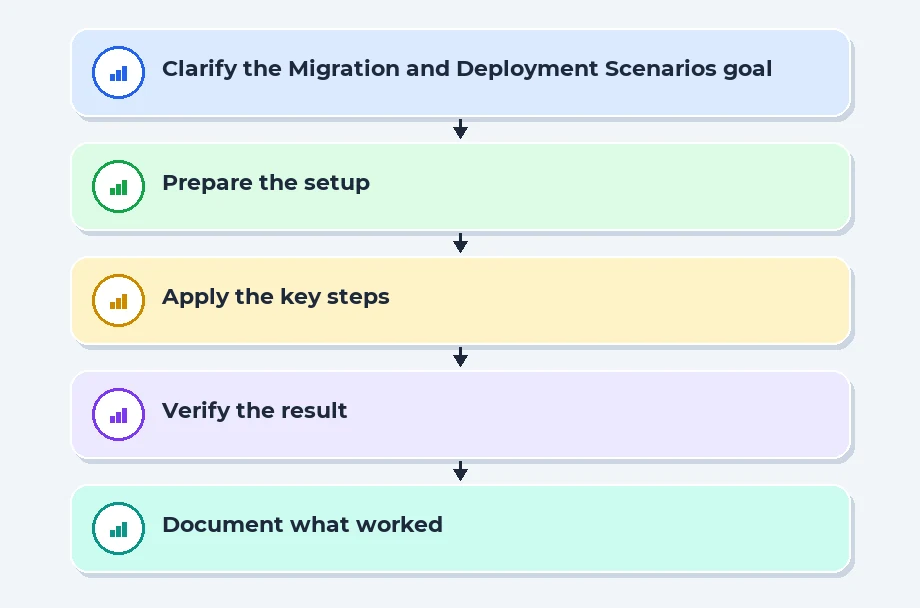
06. Migration and Deployment Scenarios: From Dev to Production
Moving from development to production is the moment where good decisions get tested. A typical path starts with a development environment that mirrors production at a smaller scale. You then promote to staging for integration testing and finally to production where you expose the workload to real users. The key practice is to keep environments synchronized as much as possible so that the performance characteristics you observe in testing match what you see in production. In practice this means consistent AMIs, common base images, and a disciplined change control process.
Real world teams also plan for failure modes. They document what happens if an instance fails or if a spot capacity is reclaimed. They ensure that there is an automatic rollback path and a clear escalation procedure. This reduces MTTR and improves the reliability of deployments in Bangalore's fast moving startups where time to market is a critical metric. In our mentorship and placement oriented tracks we emphasize these practical processes so students graduate with a clear sense of how to move code from a laptop to production with confidence.
07. References
- Amazon EC2 documentation
- EC2 instance types concept guide
- Kubernetes documentation on compute resources
- Elastic Load Balancing and scaling considerations
- Official cloud compute docs for reference
08. Conclusion
Choosing the right EC2 instance type is not a one time decision. It is a cycle of measurement, comparison, and adjustment. Start with the workload's dominant resource need, pick a family and size that aligns with that need, and then validate with real traffic. Use autoscaling and spot capacity carefully so you can sustain performance while controlling costs. Finally, document your decisions and learn from the results. This approach keeps you prepared for interviews, project delivery, and steady career growth in the Bangalore tech ecosystem. If you want a guided, hands on path to grow through practical projects, mentoring, and placement support, you can find structured programs that emphasize real world coding exposure and industry readiness. This aligns with how professional training teams structure placements and career guidance for new engineers in our region.
Navigate to Address
Scoop Labs
59, 2nd Floor, VLM Towers, 10th Cross Road, 2nd Stage, Padmanabha Nagar, Banashankari, Bengaluru, Karnataka 560070
Get Direction: Banashankari
Submit a Request
Recent Posts


